Sit down at a messy desk tangled with unruly smartphone charging cords, harsh fluorescent ceiling fixtures reflecting off your computer glass, and accessories strewn haphazardly across the surface, and your cognitive clarity takes a subconscious hit before your workday even begins. Physical disorder translates directly into mental friction: every time you pause to untangle a wire or squint against room glare, your creative flow shatters.
Cultivating an inspiring, high-output workstation does not require thousands of dollars in high-end Scandinavian executive furniture. In this hands-on evaluation of must have desk gadgets for productivity, we test practical, thoughtfully designed workspace accessories that eliminate physical clutter, protect your vision from digital fatigue, and keep your focus locked on what genuinely matters.
1. The Asymmetrical ScreenBar: Banishing Glare and Eye Strain
Traditional articulated desk lamps have occupied office corners for decades, but they suffer from an inherent flaw when placed beside computer monitors: they spill harsh light directly across your glass display, washing out contrast and causing painful optical reflections that trigger afternoon headaches.
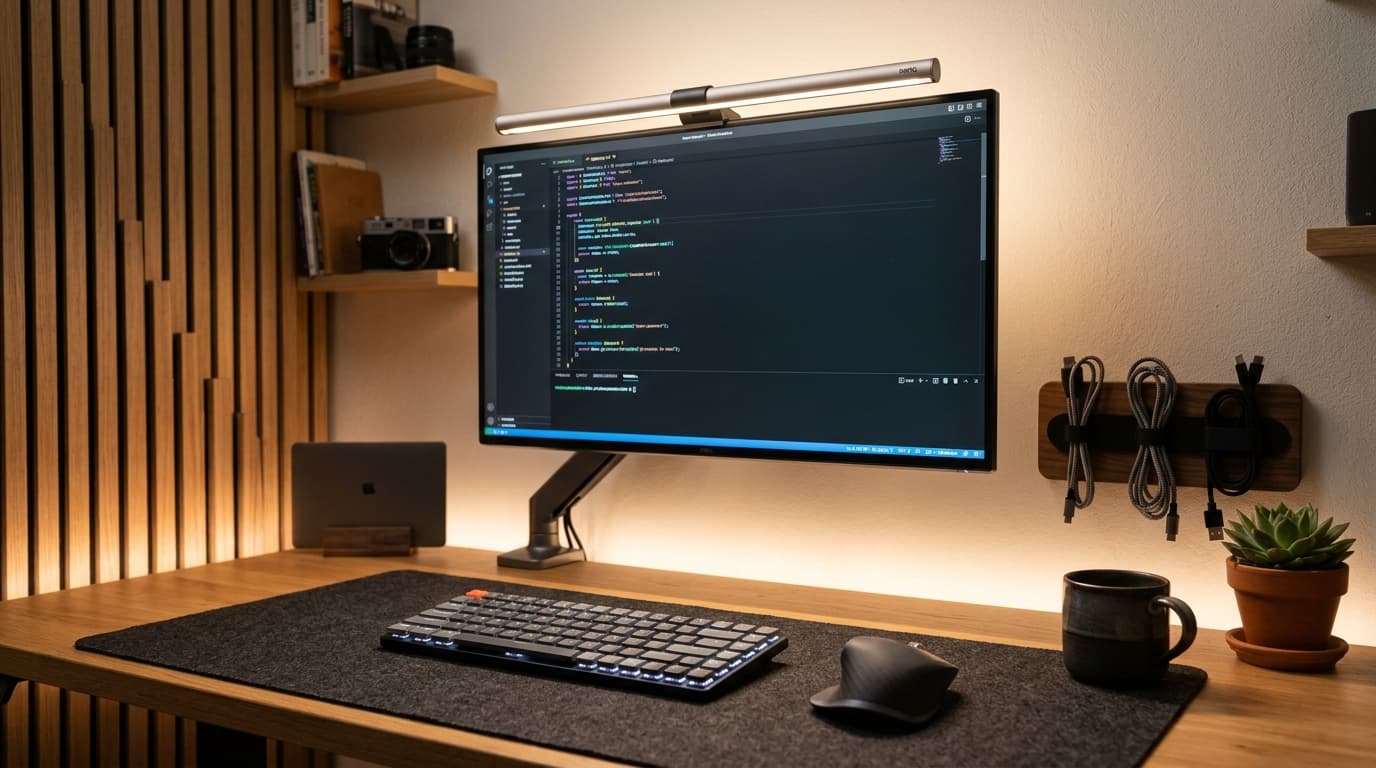
A counter-weighted asymmetrical monitor light bar mounts cleanly atop your display bezel without tape or clamps. Utilizing specialized optical prisms, it directs an angled curtain of warm-to-cool light downward onto your keyboard, notebooks, and mousepad while casting zero direct illumination onto the screen surface. By equalizing the contrast between your bright monitor and your dark desk, late-night working sessions feel vastly more comfortable.
2. Magnetic Under-Desk Cable Tunnels: Out of Sight, Out of Mind
Nothing sabotages a sleek workspace aesthetic faster than a chaotic bird's nest of dangling AC adapters and power strips gathering dust around your ankles. Clumsily kicking power cords beneath your footrest risks accidental disconnections in the middle of client calls.
Mounting a sturdy steel under-desk cable management channel or magnetic raceway beneath your desktop completely conceals bulky multi-outlet surge protectors. Route heavy monitor tethers and charging bricks into the raceway once, drop a single main trunk down to the wall outlet, and enjoy a floating, cord-free silhouette that looks immaculate from every angle.
3. The Foldable 3-in-1 Qi2 Magnetic Wireless Charging Stand
Resting individual cables on your desk for your phone, smartwatch, and audio buds clutters your perimeter with tangled wire ends. Switching to an integrated multi-device magnetic dock consolidates three charging needs into a solitary vertical footprint.
Look specifically for modern Qi2 or MagSafe-certified docks delivering fifteen-watt magnetic coupling. Floating your smartphone vertically beside your keyboard transforms it into a dedicated desk display for timers, calendar reminders, or incoming notifications without picking the handset up and getting trapped in social media rabbit holes.
Desk Ergonomics & Efficiency: Evaluating Your Upgrades
| Productivity Tool | Primary Obstacle Solved | Typical Investment | Desk Space Reclaimed | Everyday Utility Score |
|---|---|---|---|---|
| ScreenBar Light Bar | Display Glare & Evening Eye Fatigue | Roughly $35 – $95 | 100% Lamp Footprint Freed | Essential (5/5) |
| Under-Desk Cable Tray | Dangling Wire Clutter & Dust Traps | Around $25 – $40 | Clears Entire Floor Zone | High Impact (4.8/5) |
| 3-in-1 Magnetic Dock | Triple Cable Sprawl on Surface | Roughly $40 – $75 | Replaces 3 Separate Cords | High Utility (4.6/5) |
| Wool Felt Desk Pad | Keyboard Acoustic Echo & Scratches | Around $20 – $35 | Anchors Workspace Zone | Tactile Comfort (4.5/5) |
| Gravity Flip Timer | Phone Notification Distractions | Around $15 – $25 | Zero Screen Footprint | Focus Booster (4.7/5) |
| Articulating Monitor Arm | Bulky Fixed Factory Plastic Stands | Roughly $35 – $80 | Reclaims 40% Desk Surface | Ergonomic Must (5/5) |
4. Heavyweight Wool Felt Desk Pads: Tactile Anchor
Placing computer peripherals directly onto bare laminate or hardwood desk surfaces often leads to hollow keyboard reverberations, mouse tracking inconsistencies, and unsightly wrist sweat smudges. A premium wool felt or textured vegan leather desk mat physically anchors your workstation zone.
Beyond aesthetics, the dense fibrous weave of high-grade synthetic wool dampens mechanical keyboard typing clatter, giving your switches a deeper acoustic signature while keeping optical mice gliding effortlessly without catching on uneven grain.
5. Physical Gravity Flip Timers for Frictionless Pomodoro Sprints
Using your smartphone to time twenty-five-minute deep work intervals sounds convenient until you unlock the screen, spot three chat alerts, and find yourself mindlessly browsing headlines twenty minutes later. The smartphone is the single greatest distraction vortex in the modern workplace.
A hexagonal physical gravity timer lives on your desk completely devoid of internet connectivity. Simply tilt the block so your desired interval—such as fifteen, twenty-five, or forty-five minutes—faces upward, and internal gyroscope sensors instantly commence a countdown. Watching an ambient, distraction-free physical counter builds focused work momentum that digital applications simply cannot match.
The single most impactful space-saving upgrade you can make to any desk is ditching the bulky stock monitor stand for a gas-spring monitor arm. Elevating your monitor above the desk surface reclaims almost two square feet of usable real estate right beneath your eyes for notebooks, sketchpads, or docking stations.
— Khalid Farhan, Tech Writer & Digital Strategist
Actionable Advice: Building Your Setup Step by Step
You do not need to overhaul your entire office in a single afternoon. Begin by auditing your visual environment: install an asymmetrical light bar to rescue your eyes from evening fatigue, and tuck away stray cords into an under-desk channel. Once the visual clutter subsides, introduce tactile anchors like a desk pad and a physical focus timer to experience a calmer, deeply productive working rhythm every single day.